Device Details
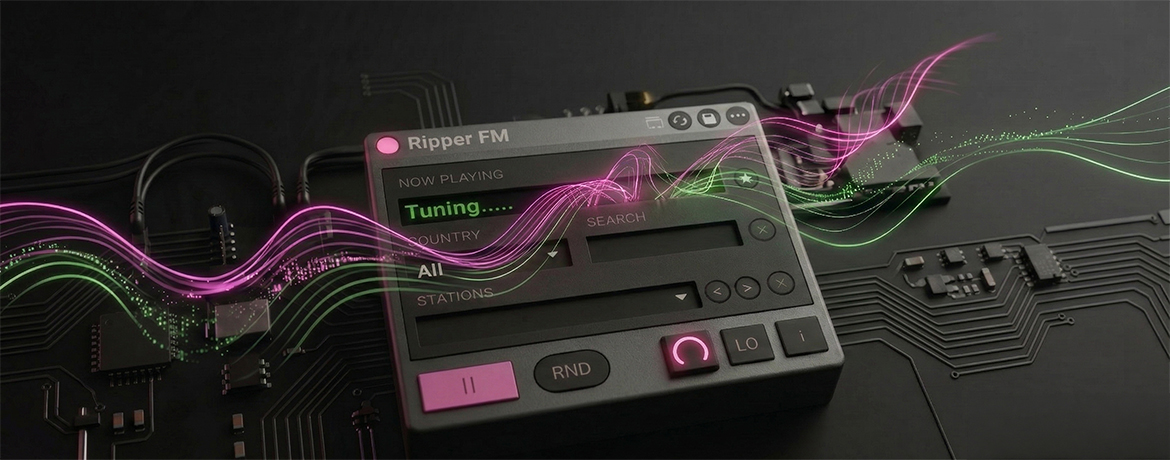
Overview
| Name | Version: | Ripper Fm 1.02 |
| Author: | cervus |
| Device Type: | Instrument |
| Description: | A Max for Live internet radio device for Ableton Live. Ripper FM uses the Radio Browser database API to give you access to thousands of stations from around the world. It is made for quick browsing, simple searching, and easy favorite management inside Ableton Live. FEATURES Browse stations by country Search by station name Save favorites Random station mode HOW IT WORKS Ripper FM uses Node.js and Max for Live to query the Radio Browser database API and handle station streaming. REQUIREMENTS Ableton Live 11 or later with Max for Live Active internet connection NOTES jweb~ may create temporary .aac cache files in your Downloads folder. These are safe to delete and do not affect your Ableton projects. Available as a $0+ download on Gumroad. Donations are welcome if you want to support the project. |
Details
| Live Version Used: | 12.3.6 |
| Max Version Used: | 9.1.4 |
| Date Added: | Apr 05 2026 18:06:20 |
| Date Last Updated: | Apr 05 2026 18:23:47 |
| Downloads: | 0 |
| Website: | https://teknikcervus.gumroad.com/l/ripperfm |
| ⓘ License: | None |
Average Rating
Log in to rate this device |
-n/a- |
Comments
Hello, thanks for the report.
Ripper FM pulls stations from Radio Browser, so some stations can be offline or not respond at the moment. The device waits up to 10 seconds for audio to start, and if no stream is detected it resets. If that happens, please try another station or use Random to jump to a different one.
Ripper FM pulls stations from Radio Browser, so some stations can be offline or not respond at the moment. The device waits up to 10 seconds for audio to start, and if no stream is detected it resets. If that happens, please try another station or use Random to jump to a different one.
Posted on April 06 2026 by cervus |
Report Issue
This is a dope device !!!
Posted on April 06 2026 by Labstrak |
Report Issue
Login to comment on this device.
Browse the full library
It loads and appears to function but when a country, station is selected, it tunes indefinitely and then seems to reset.
Love to see it working though.